2.40 m
Midpoint
MODEL
Push, pull, and snap with precision
Draw lines and shapes, push/pull faces, offset, and transform with precise inference snapping that stays out of your way.
ThreeMesh is a powerful solid modeler that runs entirely in your browser. Push/pull geometry, snap with inference, organize with components — no install, no account, local-first files, free STL/OBJ/GLB export.
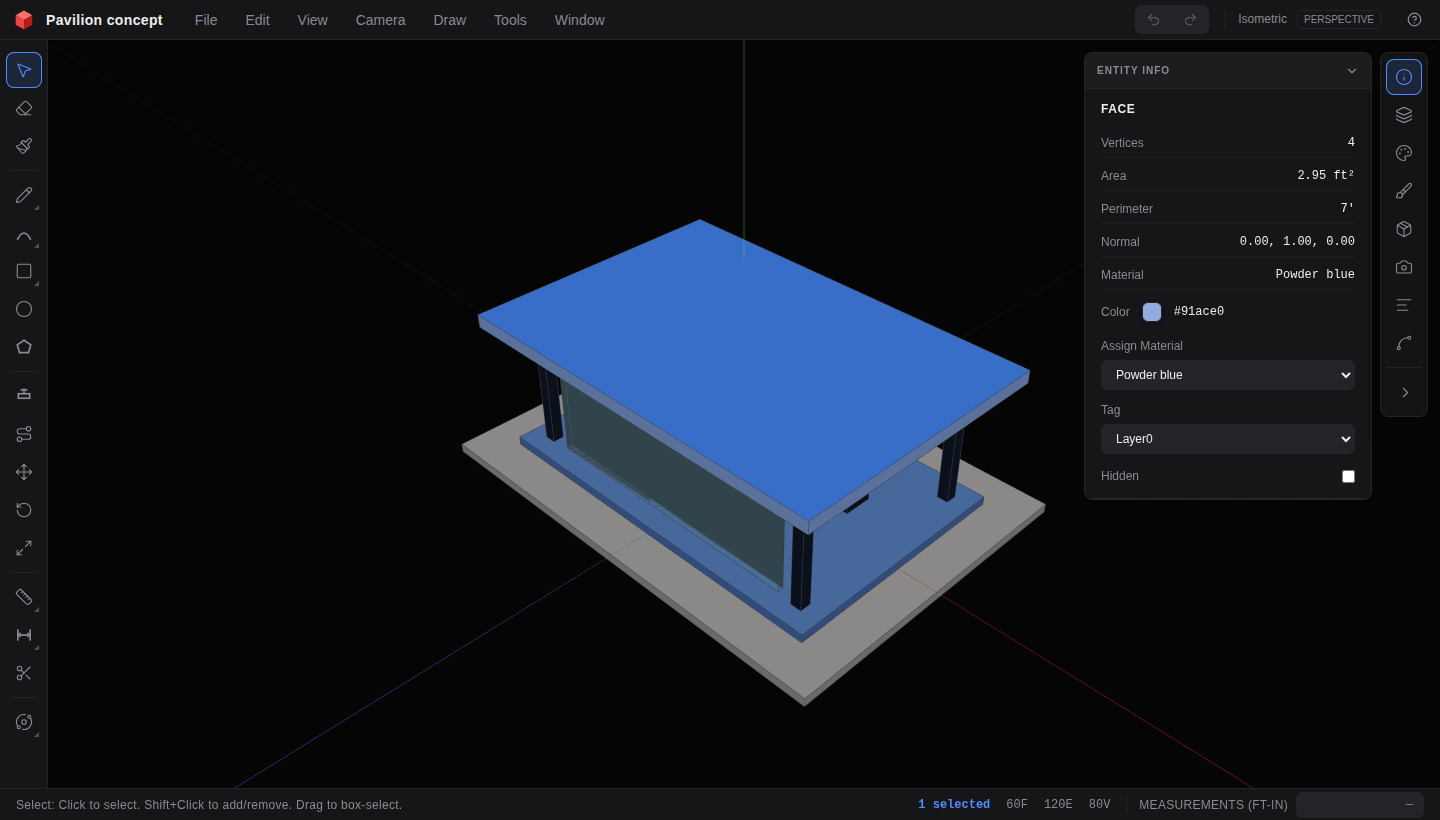
Built for the moment inspiration strikes.
Draw, push/pull, group, and component without downloads, subscriptions, or cloud lock-in. Power where you expect it, clarity everywhere else.
Draw lines and shapes, push/pull faces, offset, and transform with precise inference snapping that stays out of your way.
Structure complex projects with reusable components, tags, scenes, section planes, and a full model outliner.
Import meshes, model fast, and export to STL, OBJ, GLB, JSON, PNG, or SVG — no account and no export paywall.
Looking for a SketchUp Free alternative, something beyond Tinkercad blocks, or a browser CAD without an account wall? Here is the honest snapshot.
| Capability | ThreeMesh | SketchUp Free | Tinkercad |
|---|---|---|---|
| Runs in the browser | Yes | Yes | Yes |
| No account required | Yes | No | No |
| Local-first file workflow | Yes | No | No |
| Push/pull solid modeling | Yes | Yes | No |
| Groups & components | Yes | Yes | No |
| Free STL / OBJ / GLB export | Yes | Limited | STL-focused |
Want the full breakdown? Read our SketchUp Free alternative guide or the free online 3D modeler overview.
There is nothing to configure and nothing to learn before you begin. Open a workspace and start making — architecture massing, woodworking parts, hard-surface prints, or quick concepts.
Try it in your browserLaunch ThreeMesh instantly. No signup form between you and the canvas.
Use familiar tools, smart snapping, groups, and components to build with confidence.
Take the result into your printer, renderer, engine, or presentation as STL, OBJ, or GLB.
Export clean geometry for fabrication, visualization, game engines, or your next design tool — free, every time. See the full export formats guide.
Massing studies, room concepts, and spatial sketches with real dimensions.
Design parts and assemblies without a subscription or desktop install.
Model hard-surface solids and export STL when the form is ready to slice.
Browser-native modeling for labs and classrooms — no admin install required.
Yes. ThreeMesh is free to use in your browser with no paid tier gated behind modeling tools or exports. Start modeling without a credit card or trial countdown.
No. There is no signup wall. Open the app and draw. Models persist locally in your browser (IndexedDB) so your work stays on your device by default.
It uses a similar solid-modeling grammar: line and shape tools, push/pull, inference snapping, groups and components, tags, scenes, and section planes — all in the browser. For a side-by-side breakdown, see our SketchUp Free alternative guide.
Export clean geometry as STL (3D printing), OBJ, GLB/glTF (web and engines), JSON (native ThreeMesh), PNG, or editable SVG vector views. Import STL, OBJ, FBX, glTF, and SVG as well.
Local-first. Work stays in your browser storage until you save or export a file. You are not required to upload projects to a cloud account to keep editing.
Yes. ThreeMesh is a static web app — no desktop installer, no plugins, and no special OS requirements beyond a modern browser.
Start building in seconds. No install, no signup, free export when you are done.
Open ThreeMesh